本地小程序控制
本章节介绍本地小程序控制,可以使用小程序基础库中的hyExt.action方法对象 进行控制浮窗是否加载、面板是否可见以及面板入口是否可见:
- 本地小程序控制浮窗加载(hyExt.action.localControlPanelLoad)
- 本地小程序控制面板可见(hyExt.action.localControlPanelVisible)
- 本地小程序控制入口可见(hyExt.action.localControlEntrance)
下面我们将会创建一个面板和浮窗类型的小程序来体验本地小程序控制的基本使用。
准备工作
参考创建小程序项目,初始化一个小程序项目,其中小程序类型选择:
- 虎牙直播主站-面板
- 虎牙直播APP-面板
- 虎牙助手APP-面板
- 虎牙直播主站-浮窗
- 虎牙直播APP-浮窗
- 虎牙助手APP-浮窗
参考创建小程序,创建一个小程序和创建一个开发版本。
新建示例组件
新增src/components/common.js和src/components/common.hycss两个文件
- 新增
src/components/common.js文件
import React from "react";
import { UI } from "@hyext/hy-ui";
import "./common.hycss";
const { View, Text, Button } = UI;

export const Example = () => {
  // 打开浮窗
  const openPopup = () => {
    hyExt.action
      .localControlPanelLoad({ extType: "web_popup", load: true })
      .then(() => {
        console.log("localControlPanelLoad浮窗打开成功");
      })
      .catch((err) => {
        console.log("localControlPanelLoad调用失败");
      });
  };
  // 关闭浮窗
  const closePopup = () => {
    hyExt.action
      .localControlPanelLoad({ extType: "web_popup", load: false })
      .then(() => {
        console.log("localControlPanelLoad浮窗关闭成功");
      })
      .catch((err) => {
        console.log("localControlPanelLoad调用失败", err);
      });
  };
  // 打开面板
  const openPanel = () => {
    hyExt.action
      .localControlPanelVisible({ extType: "web_video_com", visible: true })
      .then(() => {
        console.log("localControlPanelVisible面板打开成功");
      })
      .catch((err) => {
        console.log("localControlPanelVisible调用失败", err);
      });
  };
  // 关闭面板
  const closePanel = () => {
    hyExt.action
      .localControlPanelVisible({ extType: "web_video_com", visible: false })
      .then(() => {
        console.log("localControlPanelVisible面板关闭成功");
      })
      .catch((err) => {
        console.log("localControlPanelVisible关闭失败", err);
      });
  };
  // 打开面板入口
  const openPanelEntry = () => {
    hyExt.action
      .localControlEntrance({ extType: "web_video_com", visible: true })
      .then(() => {
        console.log("localControlEntrance面板入口打开成功");
      })
      .catch((err) => {
        console.log("localControlEntrance调用失败", err);
      });
  };
  // 关闭面板入口
  const closePanelEntry = () => {
    hyExt.action
      .localControlEntrance({ extType: "web_video_com", visible: false })
      .then(() => {
        console.log("localControlEntrance面板入口关闭成功");
      })
      .catch((err) => {
        console.log("localControlEntrance调用失败", err);
      });
  };

  return (
    <View className="container">
      <View className="section">
        <Text className="title">action.localControlPanelLoad</Text>
        <View className="button-wrapper">
          <Button className="button" onPress={() => openPopup()}>
            打开浮窗
          </Button>
          <Button className="button" onPress={() => closePopup()}>
            关闭浮窗
          </Button>
        </View>
      </View>
      <View className="section">
        <Text className="title">action.localControlPanelVisible</Text>
        <View className="button-wrapper">
          <Button className="button" onPress={() => openPanel()}>
            打开面板
          </Button>
          <Button className="button" onPress={() => closePanel()}>
            关闭面板
          </Button>
        </View>
      </View>
      <View className="section">
        <Text className="title">action.localControlEntrance</Text>
        <View className="button-wrapper">
          <Button className="button" onPress={() => openPanelEntry()}>
            打开入口
          </Button>
          <Button className="button" onPress={() => closePanelEntry()}>
            关闭入口
          </Button>
        </View>
      </View>
    </View>
  );
};
- 新增
src/components/common.hycss文件
.container {
  justify-content: center;
  align-items: center;
  background-color: white;
  position: absolute;
  right: 0;
  left: 0;
  top: 0;
  bottom: 0;
}
.section {
  padding: 10px;
  width: 700px;
}
.title {
  font-weight: bold;
  margin-bottom: 5px;
}
.button-wrapper {
  flex-direction: row;
  justify-content: space-between;
}
.button {
  height: 85px;
  width: 320px;
  background-color: #ff9600;
  border-radius: 10px;
}
在小程序中使用组件
- 修改
viewer/app.js:
--- a/viewer/app.js
+++ b/viewer/app.js
@@ -1,5 +1,6 @@
 import { UI } from '@hyext/hy-ui'
 import React, { Component } from 'react'
 import './app.hycss'
+ import { Example } from "../components/common";

 const { View, Text } = UI
@@ -7,7 +8,9 @@ const { View, Text } = UI
 class App extends Component {
+   componentDidMount() {
+    hyExt.panel.setLayout({
+      x: 0.25,
+      y: 0.25,
+      width: 0.5,
+      height: 0.5,
+      visible: true,
+      animate: false,
+    });
+  }
   render () {
     return (
-      <View className="container"><Text>hello world</Text></View>
+      <View className="container">
+        <Example />
+      </View>
     )
   }
 }
- 修改
streamer/app.js:
--- a/streamer/app.js
+++ b/streamer/app.js
@@ -1,5 +1,6 @@
 import { UI } from '@hyext/hy-ui'
 import React, { Component } from 'react'
 import './app.hycss'
+ import { Example } from "../components/common";

 const { View, Text } = UI
@@ -7,7 +8,9 @@ const { View, Text } = UI
 class App extends Component {
+   componentDidMount() {
+    hyExt.panel.setLayout({
+      x: 0.25,
+      y: 0.25,
+      width: 0.5,
+      height: 0.5,
+      visible: true,
+      animate: false,
+    });
+  }
   render () {
     return (
-      <View className="container"><Text>hello world</Text></View>
+      <View className="container">
+        <Example />
+      </View>
     )
   }
 }
在直播间中预览
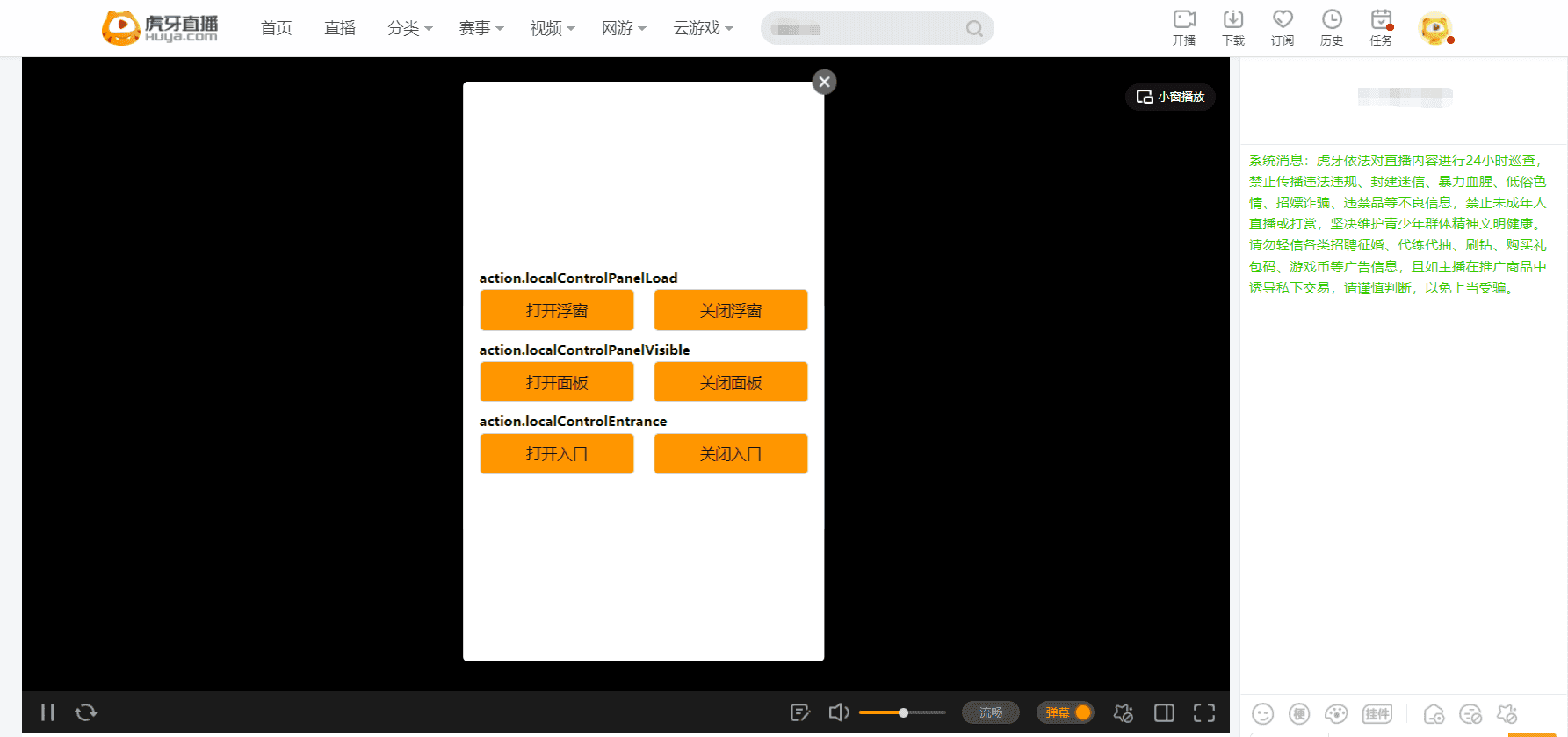
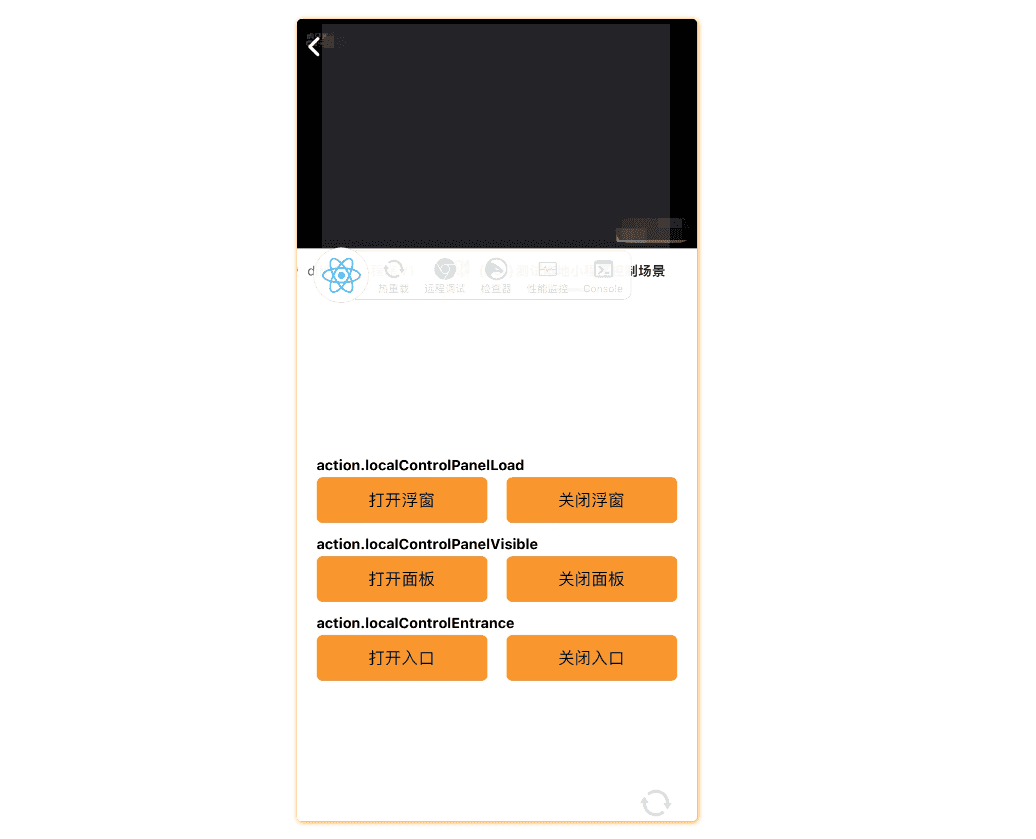
参考在直播间预览的方式,运行npm start,启动开发服务,在直播间添加开发版小程序,使用 虎牙直播主站 和 虎牙直播APP 打开小程序。
- 虎牙直播主站
- 虎牙直播APP
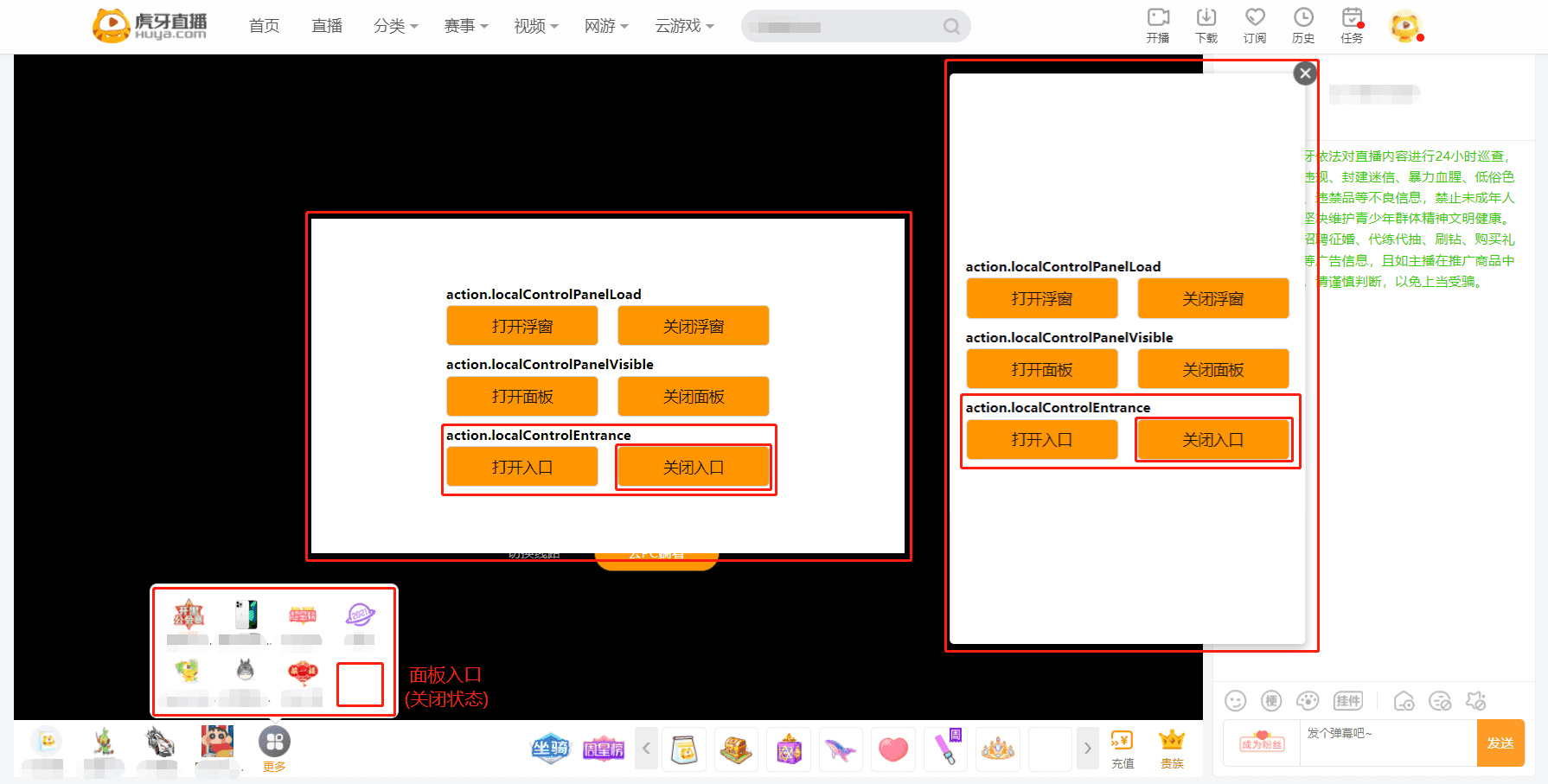
下面将在虎牙主站进行相关操作,虎牙直播APP和虎牙助手APP预览效果同理,并且需要针对不同终端修改SDK调用时extType的传参值。
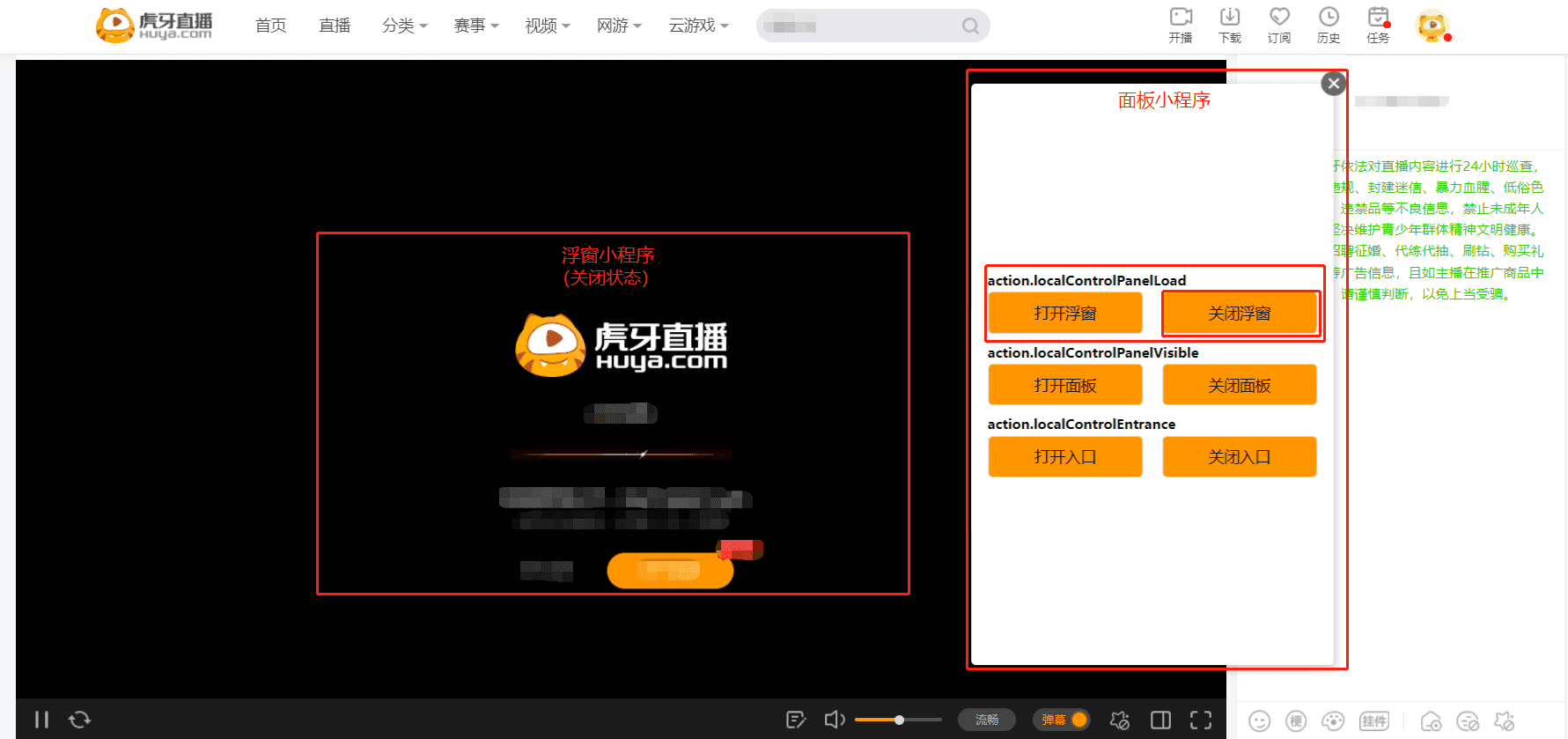
- 面板小程序(或浮窗小程序)调用hyExt.action.localControlPanelLoad SDK 打开和关闭浮窗
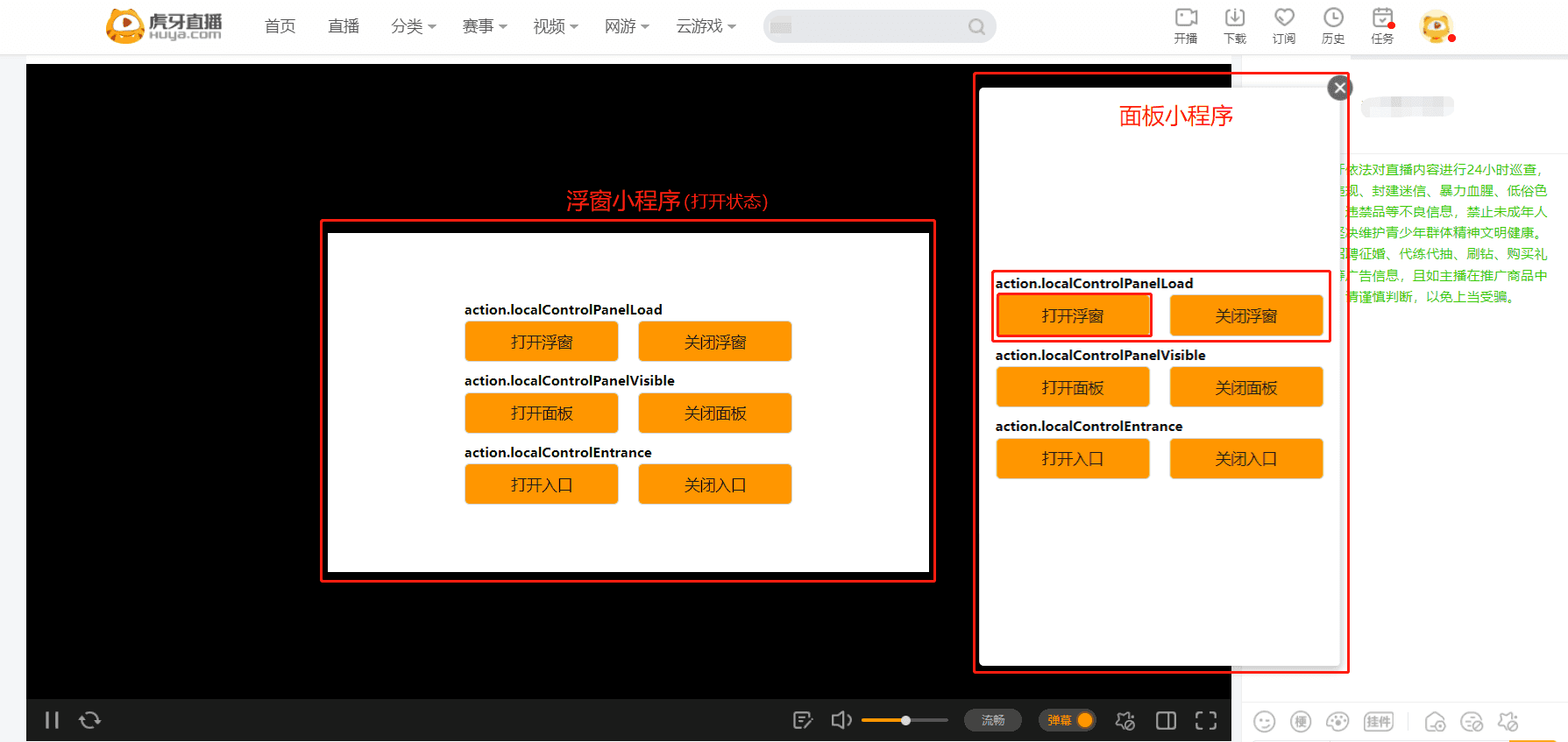
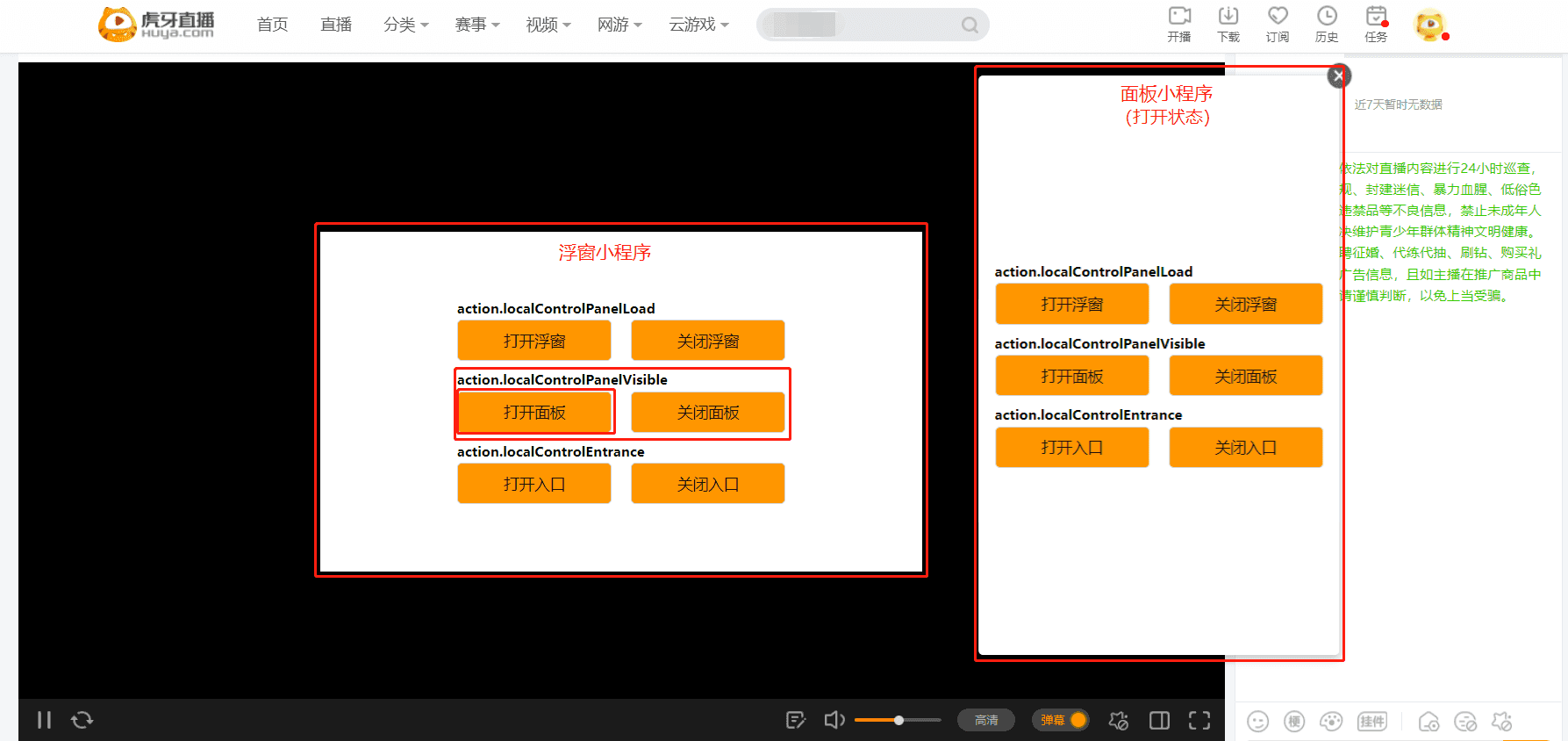
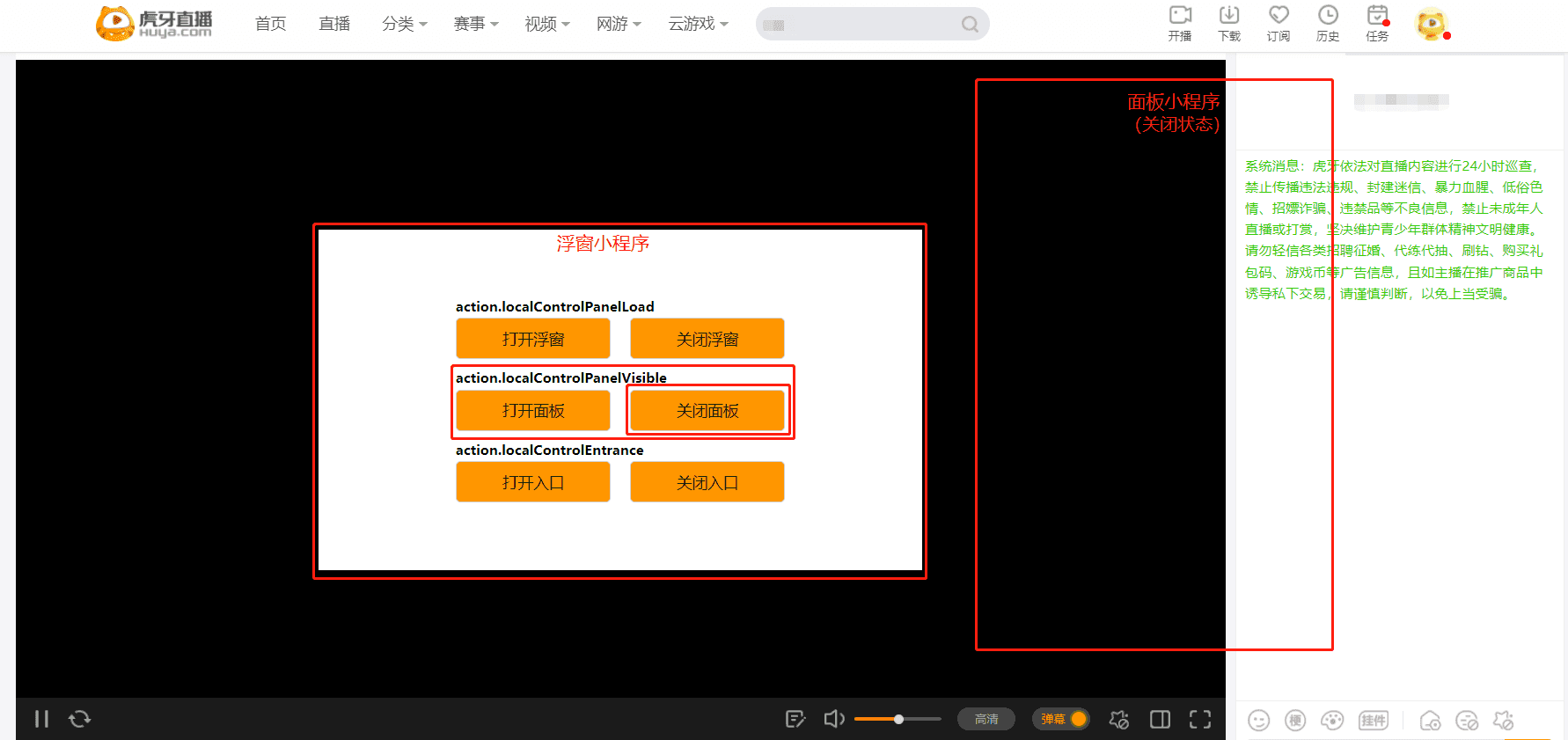
- 浮窗小程序(或面板小程序)调用hyExt.action.localControlPanelVisible SDK 打开和关闭面板
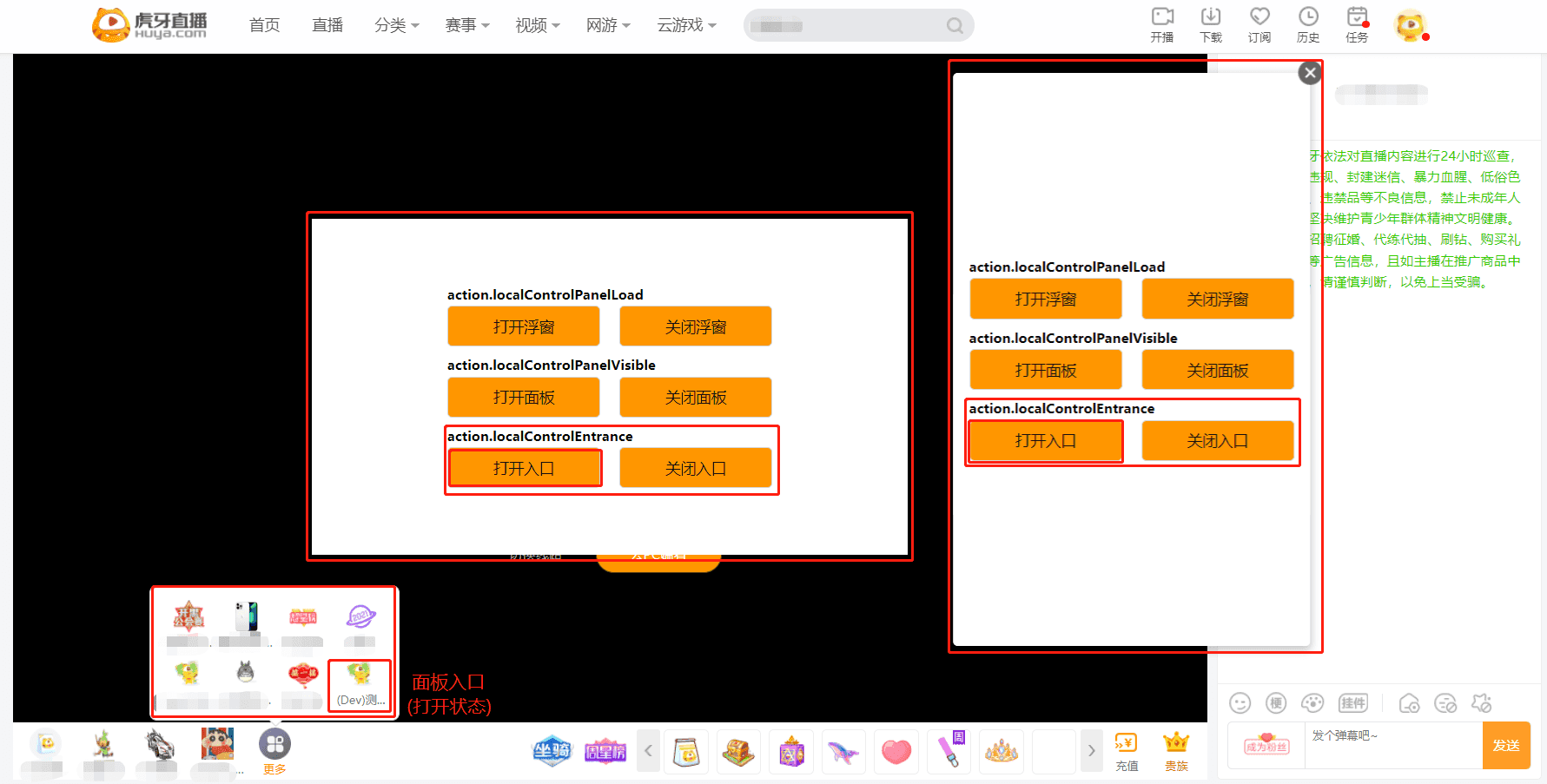
- 浮窗小程序(或面板小程序)调用hyExt.action.localControlEntrance SDK 打开和关闭面板入口
注意事项
- 本地小程序控制的相关SDK只能控制当前终端的小程序,无法做到跨端控制。即虎牙主站小程序无法控制APP端小程序,APP端小程序无法控制虎牙主站小程序;
- 示例代码中调用SDK的
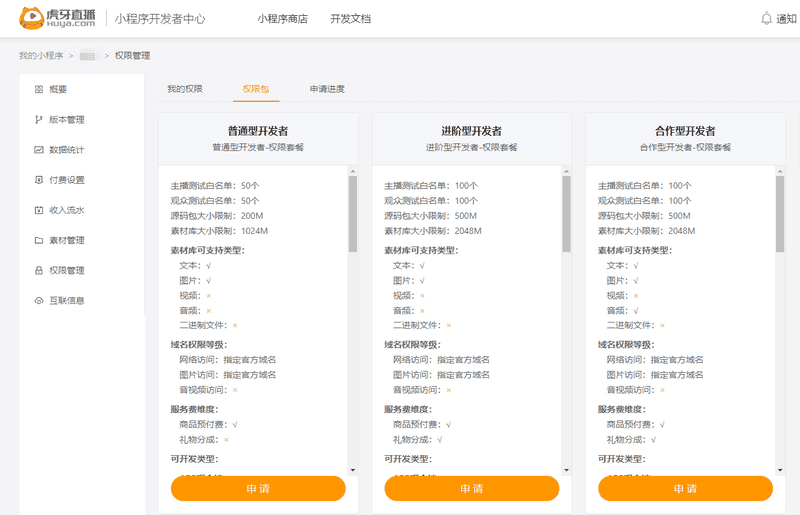
extType传参值是web_popup和web_video_com,只适用于虎牙直播主站,其他终端查看效果 修改为对应的终端即可。 - 在虎牙主站控制浮窗加载(hyExt.action.localControlPanelLoad)时只能打开一次主站浮窗,关闭后浮窗无法被重新打开;而APP端(虎牙直播APP和虎牙助手APP)可以无限次打开和关闭浮窗。另外,在助手APP端可以控制面板的加载;
- 浮窗小程序的开发权限需要在开发者中心申请“进阶型开发者”及以上的权限套餐,具体请参考权限管理。