
文件处理
本章节介绍虎牙小程序的文件处理,实现对图像文件资源的管理。
开发者可以使用小程序基础库中的hyExt.fs方法对象 对虎牙云托管对象存储进行操作:
- 上传图片(hyExt.fs.uploadImg)
- 通用上传文件(hyExt.fs.uploadFile)
- 批量下载资源(hyExt.fs.downloadBatchRes)
- 删除资源(hyExt.fs.removeRes)
- 判断资源是否存在(hyExt.fs.isResExists)
注意:以上SDK在不同终端的是使用权限并不完全相同,具体适用终端可查看对应的SDK说明。
下面我们将会创建一个示例小程序来体验文件处理的基本使用。
准备工作
参考创建小程序项目,初始化一个小程序项目,其中小程序类型选择:
- 虎牙直播主站-面板
- 虎牙直播APP-面板
- 虎牙助手APP-面板
- PC主播端-面板
- PC观众端-面板
参考创建小程序,创建一个小程序和创建一个开发版本。
新增示例组件
新增src/components/common.js和src/components/common.hycss两个文件
- 新增
src/components/common.js文件
import React, { useState } from "react";
import { UI } from "@hyext/hy-ui";
import "./common.hycss";
const { View, Text, Button, Image } = UI;

export const Example = () => {
  const [result, setResult] = useState("暂无数据");
  const [resultUrl, setResultUrl] = useState("");

  // 上传图片
  const handleUploadImg = () => {
    hyExt.fs
      .uploadImg()
      .then((imgInfo) => {
        const url = imgInfo.url;
        setResult(`hyExt.fs.uploadImg调用成功:${url}`);
        setResultUrl(url);
      })
      .catch((err) => {
        setResult(`hyExt.fs.uploadImg调用失败:${err?.msg}`);
      });
  };
  // 通用上传文件接口
  const handleUploadFile = () => {
    hyExt.fs
      .uploadFile()
      .then((imgInfo) => {
        const url = imgInfo.url;
        setResultUrl(url);
        setResult(`hyExt.fs.uploadFile调用成功:${url}`);
      })
      .catch((err) => {
        setResult(`hyExt.fs.uploadFile失败:${err?.msg}`);
      });
  };
  // 批量下载资源
  const handleDownloadBatchRes = () => {
    hyExt.fs
      .downloadBatchRes([
        {
          url: "http://t11834349a5461b9-gxrzxdvz.test.hyext.com/extImg/0b6cd7a1b9/edbb5e316927215b.png",
          md5: "edbb5e316927215b96069f639c83f417",
          unzip: false,
        },
      ])
      .then(() => {
        setResult("hyExt.fs.downloadBatchRes调用成功");
      })
      .catch((err) => {
        setResult(`hyExt.fs.downloadBatchRes:${err?.msg}`);
      });
  };
  // 判断本地资源是否存在
  const handleIsResExists = () => {
    hyExt.fs
      .isResExists({
        md5: "edbb5e316927215b96069f639c83f417",
        fileName: "edbb5e316927215b.png",
      })
      .then((resp) => {
        setResult(`hyExt.fs.isResExists调用成功:${resp?.isExists}`);
      })
      .catch((err) => {
        setResult(`hyExt.fs.isResExists调用失败:${err?.msg}`);
      });
  };
  // 删除本地文件资源
  const handleRemoveRes = () => {
    hyExt.fs
      .removeRes({
        md5: "edbb5e316927215b96069f639c83f417",
        unzip: false,
      })
      .then(() => {
        setResult("hyExt.fs.removeRes调用成功");
      })
      .catch((err) => {
        setResult(`hyExt.fs.removeRes调用失败:${err?.msg}`);
      });
  };

  return (
    <View className="container">
      <View className="section">
        <Text className="title">fs.uploadImg</Text>
        <Button className="button" onPress={() => handleUploadImg()}>
          调用
        </Button>
      </View>
      <View className="section">
        <Text className="title">fs.uploadFile</Text>
        <Button className="button" onPress={() => handleUploadFile()}>
          调用
        </Button>
      </View>
      <View className="section">
        <Text className="title">fs.downloadBatchRes</Text>
        <Button className="button" onPress={() => handleDownloadBatchRes()}>
          调用
        </Button>
      </View>
      <View className="section">
        <Text className="title">fs.isResExists</Text>
        <Button className="button" onPress={() => handleIsResExists()}>
          调用
        </Button>
      </View>
      <View className="section">
        <Text className="title">fs.removeRes</Text>
        <Button className="button" onPress={() => handleRemoveRes()}>
          调用
        </Button>
      </View>
      <View className="section">
        <Text className="title">调用结果</Text>
        <Text>{result}</Text>
      </View>
      <View className="section">
        {resultUrl ? <Image src={resultUrl} className="image" /> : null}
      </View>
    </View>
  );
};
- 新增
src/components/common.hycss文件
.container {
  justify-content: center;
  align-items: center;
  background-color: white;
  position: absolute;
  right: 0;
  left: 0;
  top: 0;
  bottom: 0;
}
.section {
  padding: 10px;
  width: 650px;
}
.title {
  font-weight: bold;
  margin-bottom: 5px;
}
.button {
  height: 85px;
  width: 600px;
  background-color: #ff9600;
  border-radius: 10px;
}
.image{
  width: 100px;
  height: 100px;
}
在小程序中使用组件
- 修改
viewer/app.js:
--- a/viewer/app.js
+++ b/viewer/app.js
@@ -1,5 +1,6 @@
 import { UI } from '@hyext/hy-ui'
 import React, { Component } from 'react'
+import { Example } from '../components/common'
 import './app.hycss'

 const { View, Text } = UI
@@ -7,7 +8,9 @@ const { View, Text } = UI
 class App extends Component {
   render () {
     return (
-      <View className="container"><Text>hello world</Text></View>
+      <View className="container">
+        <Example />
+      </View>
     )
   }
 }
- 修改
streamer/app.js:
--- a/streamer/app.js
+++ b/streamer/app.js
@@ -1,5 +1,6 @@
 import { UI } from '@hyext/hy-ui'
 import React, { Component } from 'react'
+import { Example } from '../components/common'
 import './app.hycss'

 const { View, Text } = UI
@@ -7,7 +8,9 @@ const { View, Text } = UI
 class App extends Component {
   render () {
     return (
-      <View className="container"><Text>hello world</Text></View>
+      <View className="container">
+        <Example />
+      </View>
     )
   }
 }
在直播间中预览
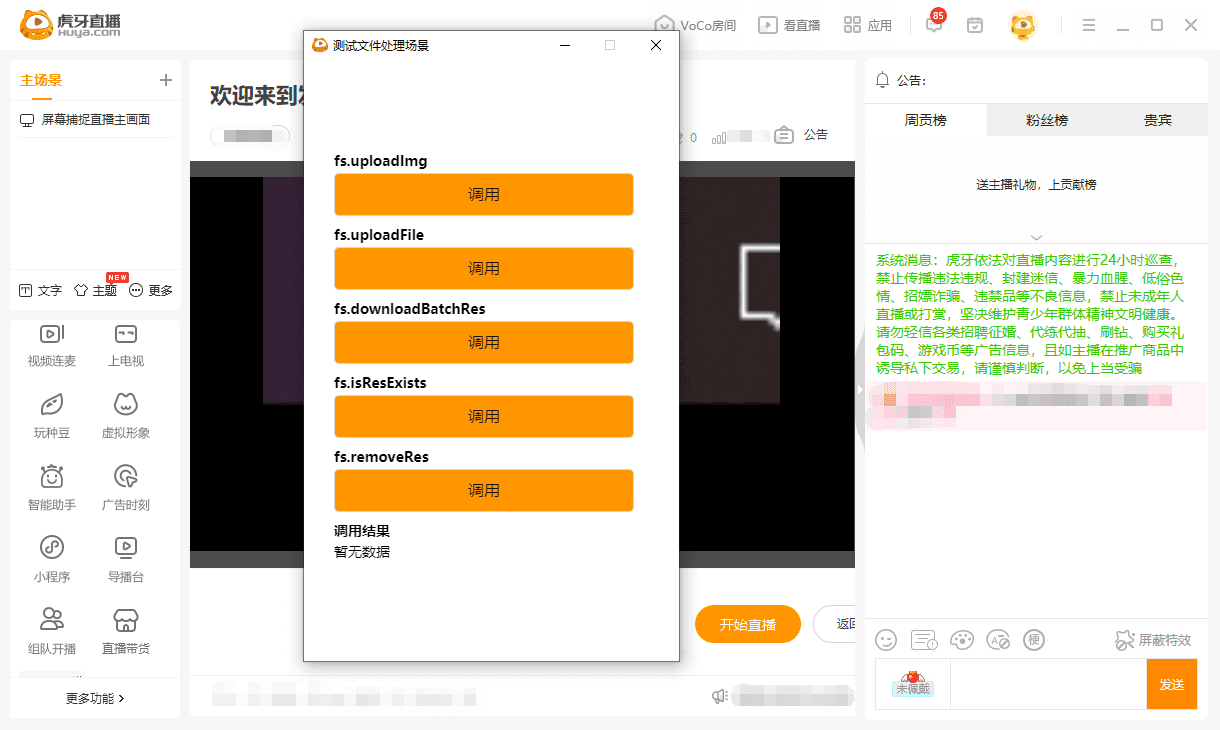
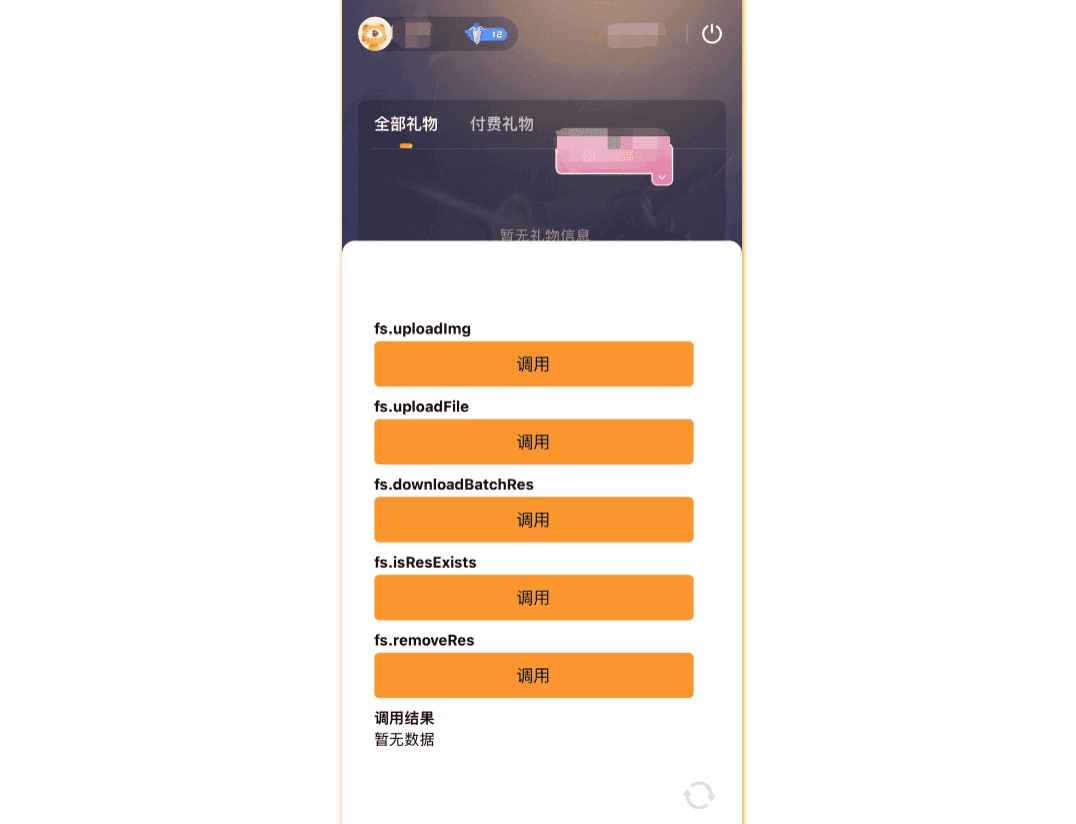
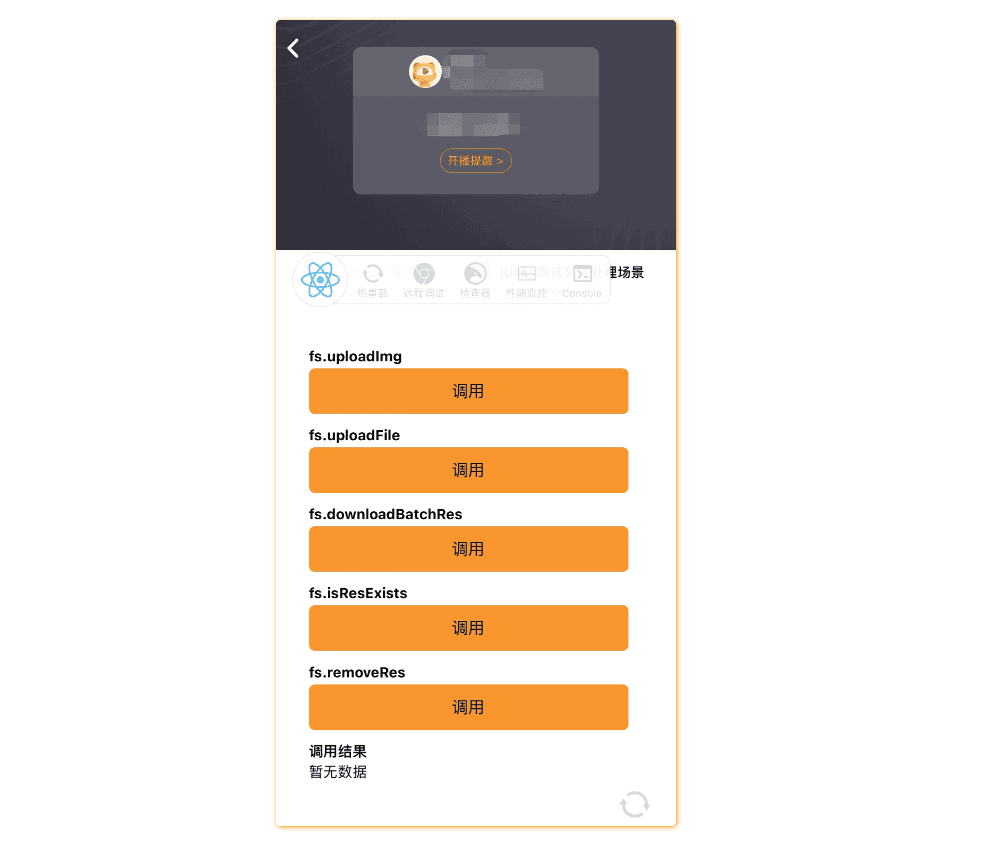
参考在直播间预览的方式,运行npm start,启动开发服务,在直播间添加并打开 开发版小程序,预览如下:
- PC主播端
- 助手APP端
- 虎牙直播APP
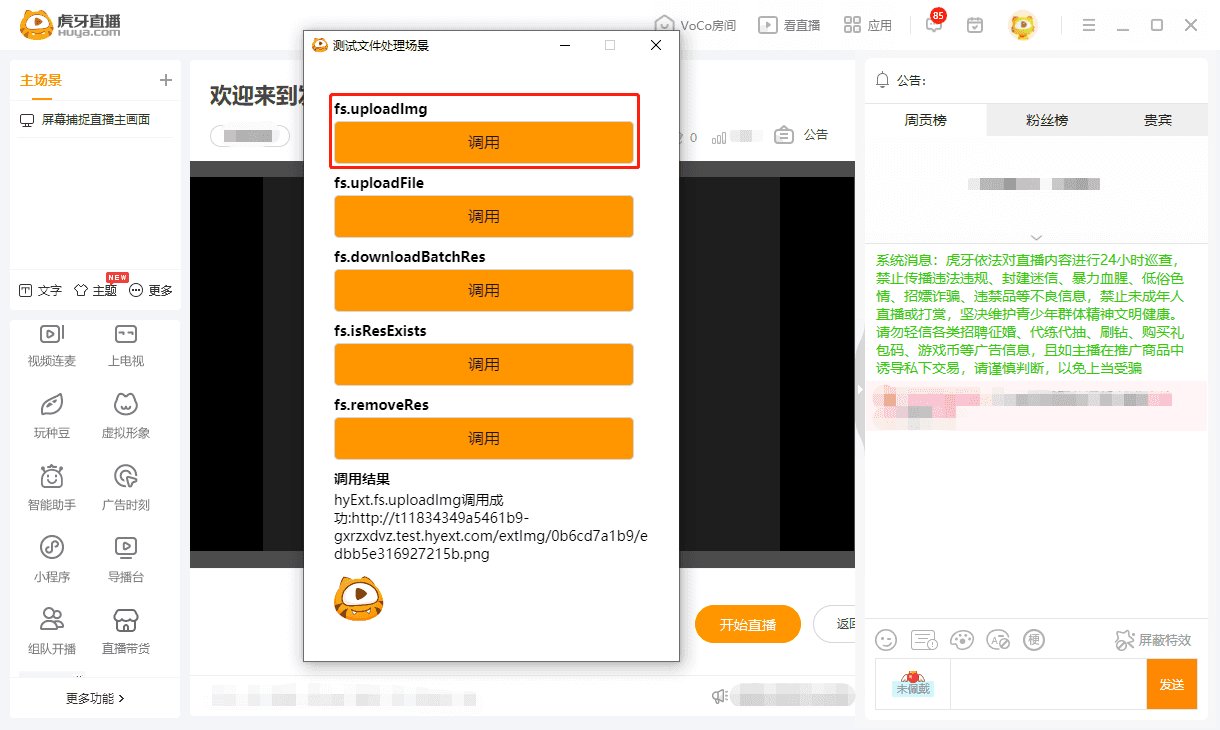
在PC主播端调用hyExt.fs.uploadImg SDK 上传图片成功
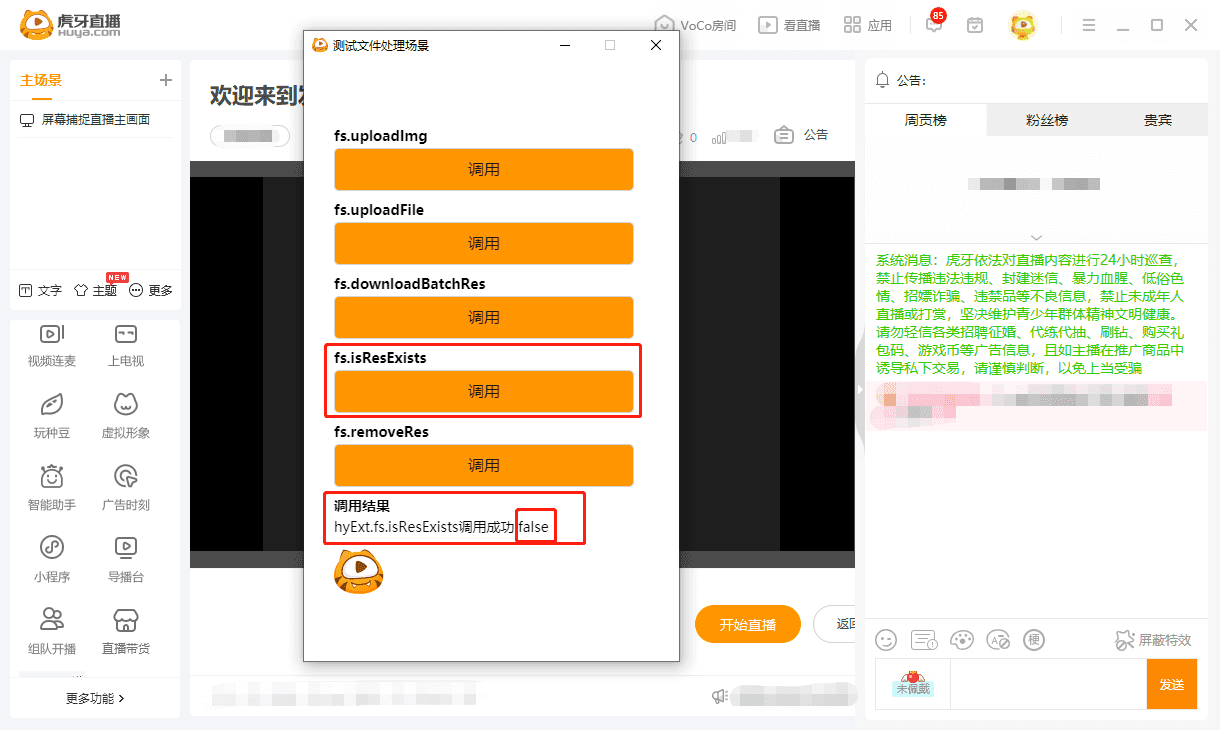
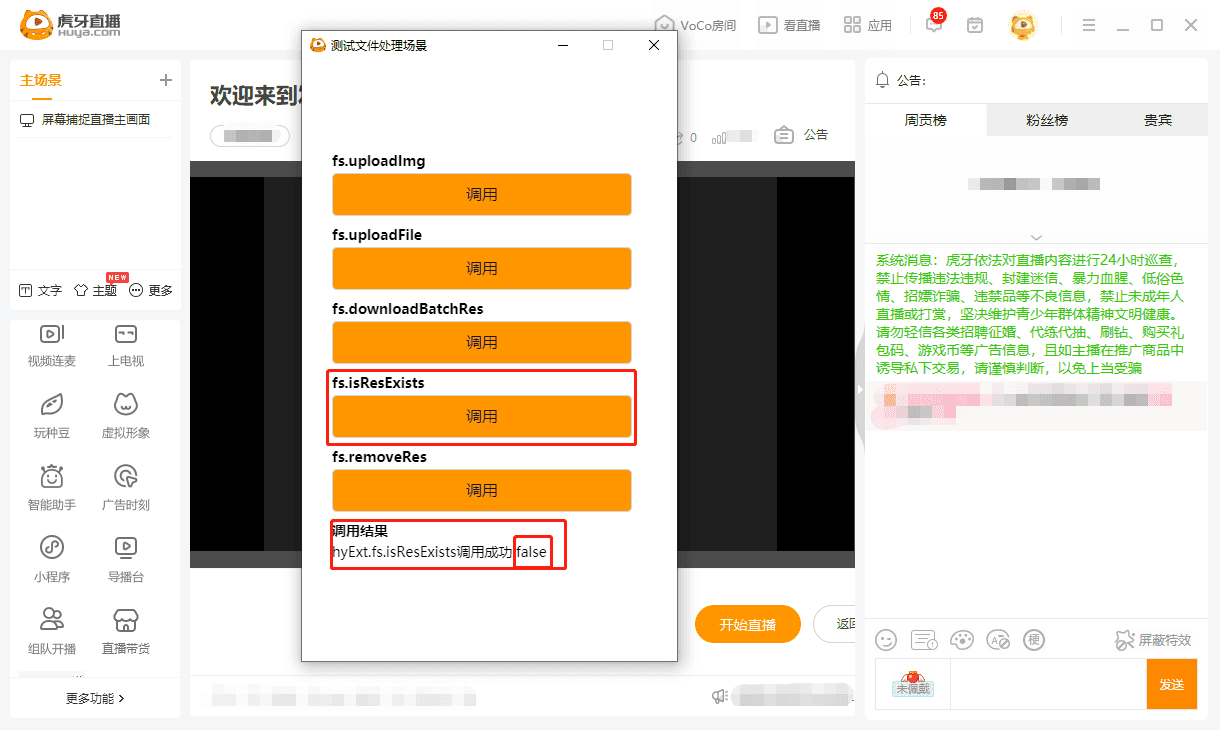
在PC直播端调用hyExt.fs.isResExists SDK,判断本地资源不存在
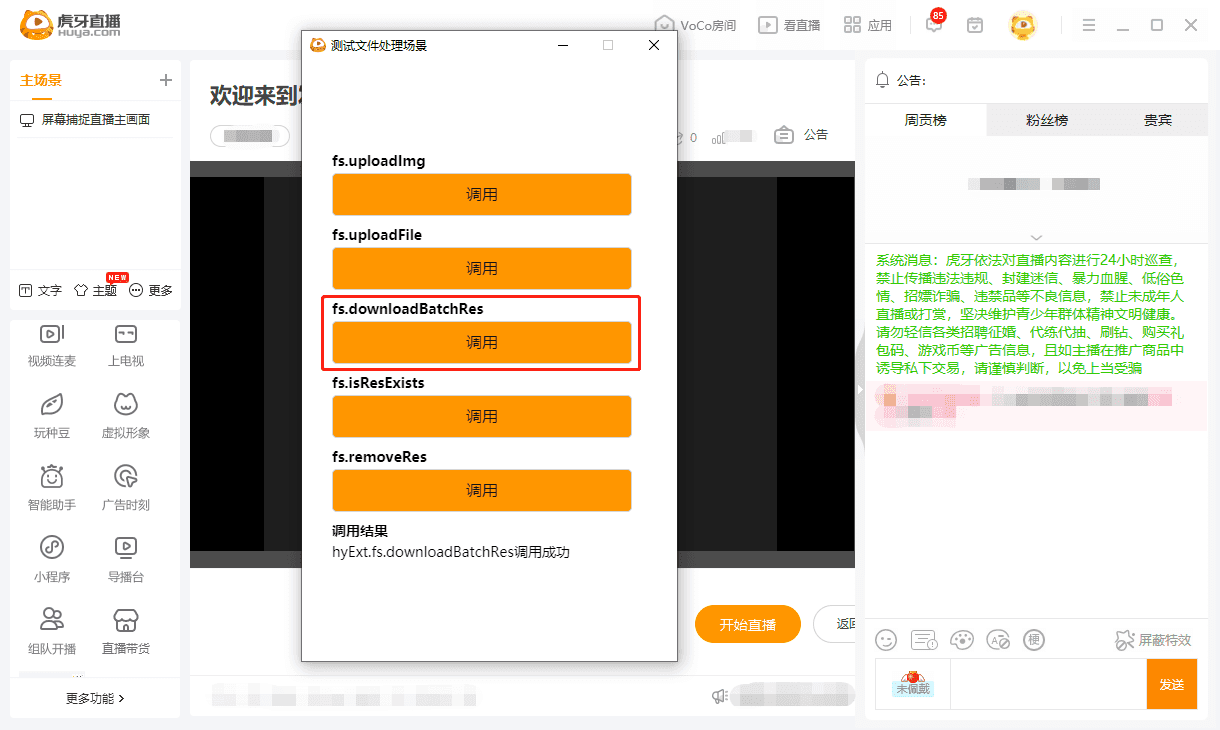
在PC直播端调用hyExt.fs.downloadBatchRes SDK,批量下载资源到本地成功
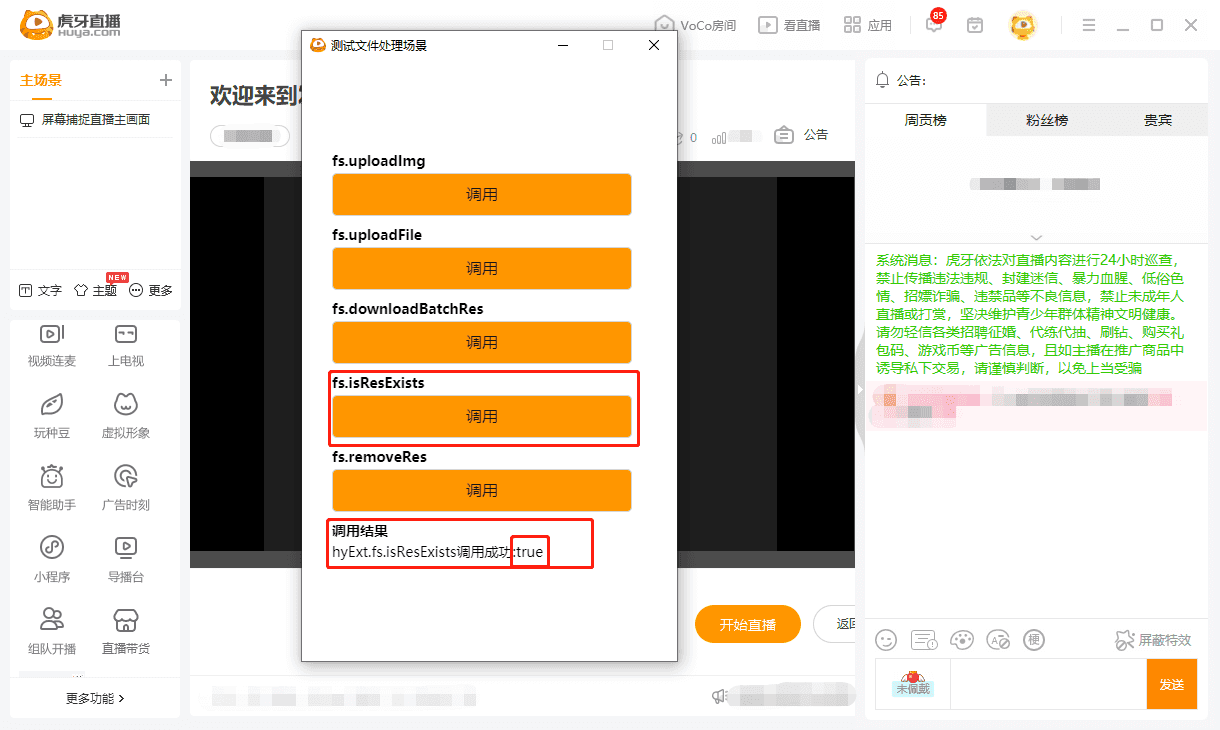
在PC直播端调用hyExt.fs.isResExists SDK,判断本地资源存在,验证资源下载到本地成功
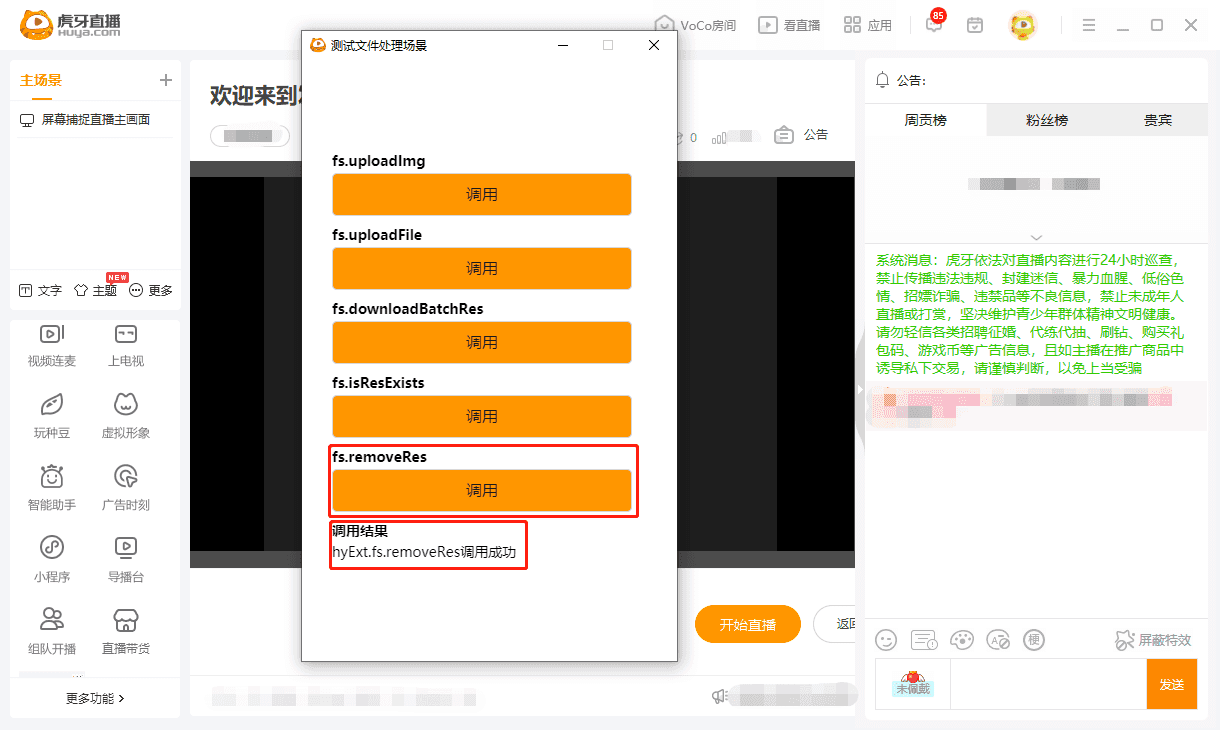
在PC直播端调用hyExt.fs.removeRes SDK,删除本地资源成功
在PC直播端调用hyExt.fs.isResExists SDK,判断本地资源不存在,验证删除本地资源成功
注意事项
调用hyExt.fs.isResExists SDK判断的是本地资源是否存在,并不能判断远程资源是否存在。只有通过 hyExt.fs.downloadBatchRes SDK 将资源下载到本地之后,返回的
isExists字段为true,否则将永远为false;fileName文件名的值 是远程资源的文件名(并不是本地上传文件的文件名),且必须添加文件类型后缀。示例代码中 文件名edbb5e316927215b.png取自于远程资源http://t11834349a5461b9-gxrzxdvz.test.hyext.com/extImg/0b6cd7a1b9/edbb5e316927215b.png;md5为文件资源的md5值,是文件资源的唯一标识,使用任意工具验证查看即可。可以参考以下简便的查看方式:- Mac
- 点击程序坞栏的 启动台 — 其他 — 打开终端
- 输入命令 md5 ,md5 后面加个空格
- 再把要验证md5的文件直接拖入终端,然后按回车键运行
- 等验证完成后就看到文件的MD5信息
- Windows
- cd 文件目录路径
certutil -hashfile xxx.jpg MD5- 等验证完成后就看到文件的MD5信息
- Mac