宿主信息
本章节介绍虎牙小程序的宿主信息,包含了环境信息和直播间信息。通常会根据真实业务需求在小程序中展示需要的宿主信息 和 作为基础信息来配合其他SDK的使用。
使用小程序基础库的hyExt.env方法对象 获取环境信息,如平台、宿主版本、小程序类型等信息。
- 获取当前小程序初始化参数(hyExt.env.getInitialParam)
- 获取小程序参数(hyExt.env.getExtInfo)
- 获取宿主信息(hyExt.env.getHostInfo)
使用小程序基础库的hyExt.context方法对象 获取直播间信息,如直播间、主播观众、粉丝榜等信息。
- 获取用户信息(hyExt.context.getUserInfo)
- 获取当前直播间信息(hyExt.context.getLiveInfo)
- 获取当前直播间主播信息(hyExt.context.getStreamerInfo)
准备工作
参考创建小程序项目,初始化一个小程序项目,其中小程序类型选择:
- 虎牙直播主站-面板
- 虎牙直播APP-面板
- PC主播端-面板
参考创建小程序,创建一个小程序和创建一个开发版本。
新增示例组件
新增src/components/common.js和src/components/common.hycss两个文件
- 新增
src/components/common.js文件
import React, { useState } from "react";
import { UI } from "@hyext/hy-ui";
import "./common.hycss";
const { View, Text, Button, ScrollView, Tip } = UI;

export const Example = () => {
  const [result, setResult] = useState("暂无数据");

  const showSuccessTip = () => {
    Tip.show("调用成功,请滑至底部查看调用结果!");
  };
  const showErrorTip = () => {
    showErrorTip();
    Tip.show("调用失败");
  };
  // 获取当前小程序初始化参数
  const handleGetInitialParam = () => {
    hyExt.env
      .getInitialParam()
      .then((initialParam) => {
        setResult(
          `env.getInitialParam调用成功:${JSON.stringify(initialParam)}`
        );
        showSuccessTip();
      })
      .catch((err) => {
        setResult(`env.getInitialParam调用失败:${err.msg}`);
        showErrorTip();
      });
  };
  // 获取小程序参数
  const handleGetExtInfo = () => {
    hyExt.env
      .getExtInfo()
      .then((extInfo) => {
        setResult(`env.getExtInfo调用成功:${JSON.stringify(extInfo)}`);
        showSuccessTip();
      })
      .catch((err) => {
        setResult(`env.getExtInfo调用失败:${err.msg}`);
        showErrorTip();
      });
  };
  // 获取宿主信息
  const handleGetHostInfo = () => {
    hyExt.env
      .getHostInfo()
      .then((hostInfo) => {
        setResult(`env.getHostInfo调用成功:${JSON.stringify(hostInfo)}`);
        showSuccessTip();
      })
      .catch((err) => {
        setResult(`env.getHostInfo调用失败:${err.msg}`);
        showErrorTip();
      });
  };
  // 获取用户信息
  const handleGetUserInfo = () => {
    hyExt.context
      .getUserInfo()
      .then((userInfo) => {
        setResult(`context.getUserInfo调用成功:${JSON.stringify(userInfo)}`);
        showSuccessTip();
      })
      .catch((err) => {
        setResult(`context.getUserInfo调用失败:${err.msg}`);
        showErrorTip();
      });
  };
  // 获取直播间信息
  const handleGetLiveInfo = () => {
    hyExt.context
      .getLiveInfo()
      .then((liveInfo) => {
        setResult(`context.getLiveInfo调用成功:${JSON.stringify(liveInfo)}`);
        showSuccessTip();
      })
      .catch((err) => {
        setResult(`context.getLiveInfo调用失败:${err.msg}`);
        showErrorTip();
      });
  };
  // 获取主播信息
  const handleGetStreamerInfo = () => {
    hyExt.context
      .getStreamerInfo()
      .then((streamerInfo) => {
        setResult(
          `context.getStreamerInfo调用成功:${JSON.stringify(streamerInfo)}`
        );
        showSuccessTip();
      })
      .catch((err) => {
        setResult(`context.getStreamerInfo调用失败:${err.msg}`);
        showErrorTip();
      });
  };

  return (
    <View className="container">
      <ScrollView showsVerticalScrollIndicator="false">
        <View className="section">
          <Text className="title">env.getInitialParam</Text>
          <Button className="button" onPress={() => handleGetInitialParam()}>
            获取初始化参数
          </Button>
        </View>
        <View className="section">
          <Text className="title">env.getExtInfo</Text>
          <Button className="button" onPress={() => handleGetExtInfo()}>
            获取小程序参数
          </Button>
        </View>
        <View className="section" style={{ marginBottom: 20 }}>
          <Text className="title">env.getHostInfo</Text>
          <Button className="button" onPress={() => handleGetHostInfo()}>
            获取宿主信息
          </Button>
        </View>
        <View className="section">
          <Text className="title">context.getUserInfo</Text>
          <Button className="button" onPress={() => handleGetUserInfo()}>
            获取用户信息
          </Button>
        </View>
        <View className="section">
          <Text className="title">context.getLiveInfo</Text>
          <Button className="button" onPress={() => handleGetLiveInfo()}>
            获取直播间信息
          </Button>
        </View>
        <View className="section">
          <Text className="title">context.getStreamerInfo</Text>
          <Button className="button" onPress={() => handleGetStreamerInfo()}>
            获取主播信息
          </Button>
        </View>

        <View className="section-result">
          <Text className="title">调用结果</Text>
          <Text>{result}</Text>
        </View>
      </ScrollView>
    </View>
  );
};
- 新增
src/components/common.hycss文件
.container {
  justify-content: center;
  align-items: center;
  background-color: white;
  position: absolute;
  right: 0;
  left: 0;
  top: 0;
  bottom: 0;
}
.section {
  padding: 10px 25px;
  width: 650px;
}
.title {
  font-weight: bold;
  margin-bottom: 5px;
}
.button {
  height: 85px;
  width: 600px;
  background-color: #ff9600;
  border-radius: 10px;
}
.section-result{
  padding: 10px 25px;
  width: 650px;
  margin-bottom: 50px;
}
在小程序中使用组件
- 修改
viewer/app.js:
--- a/viewer/app.js
+++ b/viewer/app.js
@@ -1,5 +1,6 @@
 import { UI } from '@hyext/hy-ui'
 import React, { Component } from 'react'
+import { Example } from '../components/common'
 import './app.hycss'

 const { View, Text } = UI
@@ -7,7 +8,9 @@ const { View, Text } = UI
 class App extends Component {
   render () {
     return (
-      <View className="container"><Text>hello world</Text></View>
+      <View className="container">
+        <Example />
+      </View>
     )
   }
 }
- 修改
streamer/app.js:
--- a/streamer/app.js
+++ b/streamer/app.js
@@ -1,5 +1,6 @@
 import { UI } from '@hyext/hy-ui'
 import React, { Component } from 'react'
+import { Example } from '../components/common'
 import './app.hycss'

 const { View, Text } = UI
@@ -7,7 +8,9 @@ const { View, Text } = UI
 class App extends Component {
   render () {
     return (
-      <View className="container"><Text>hello world</Text></View>
+      <View className="container">
+        <Example />
+      </View>
     )
   }
 }
在直播间中预览
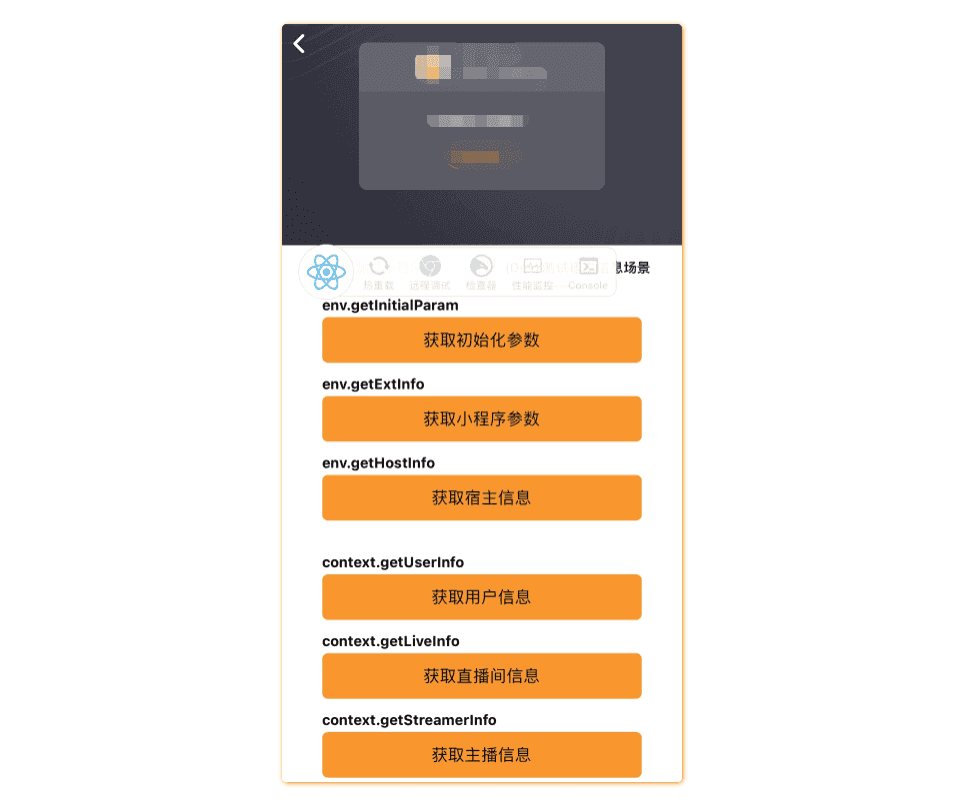
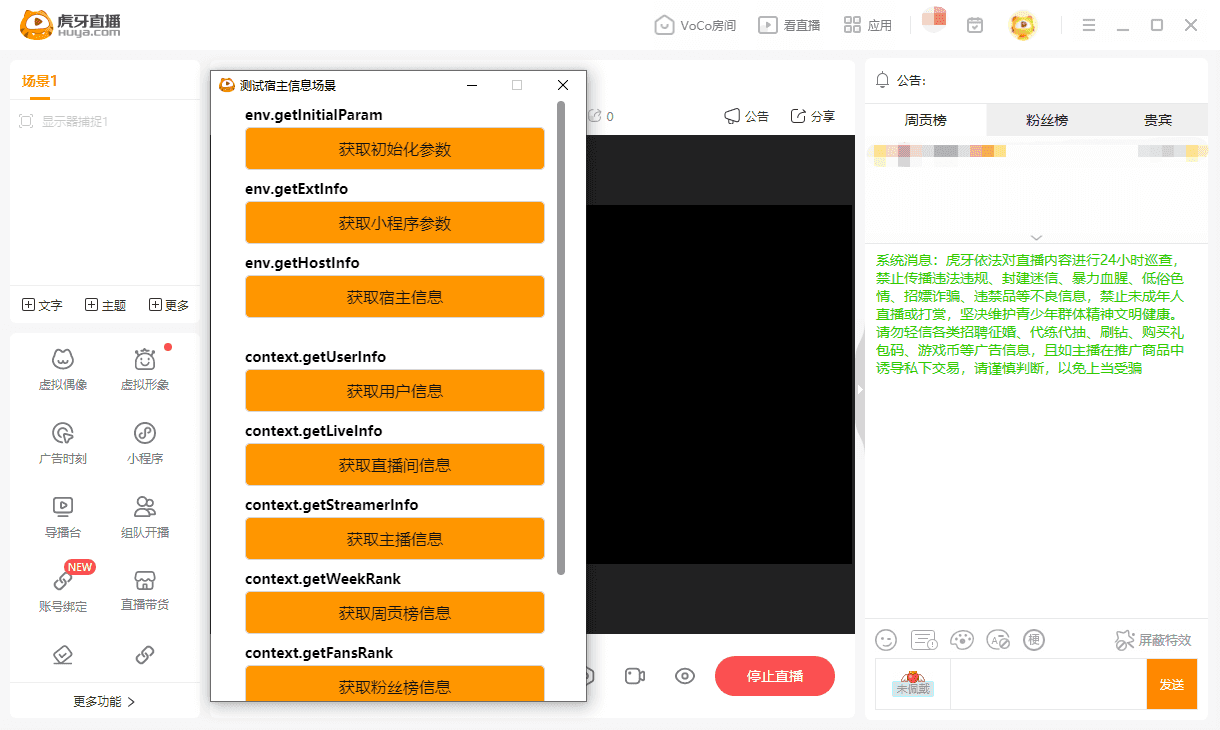
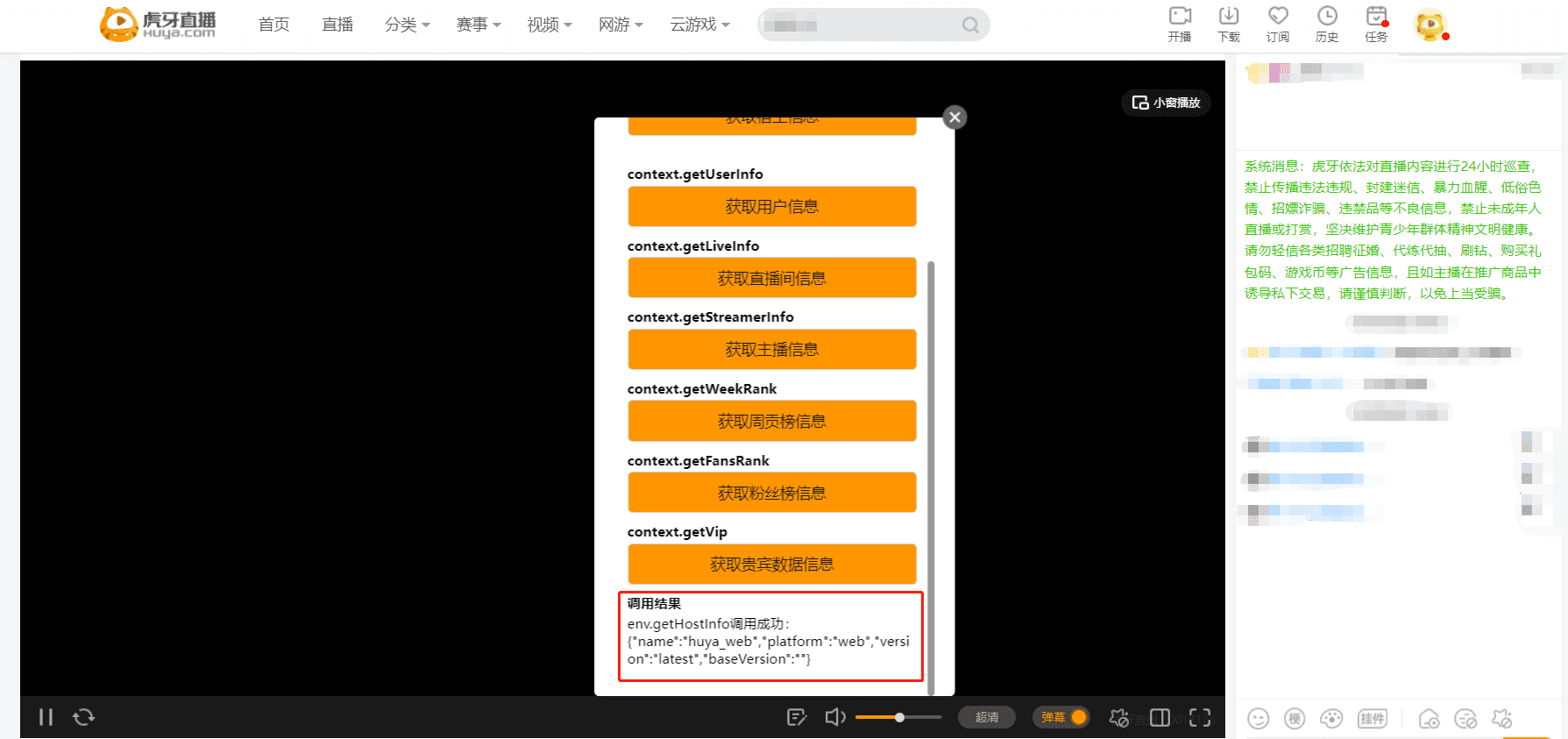
参考在直播间预览的方式,运行npm start,启动开发服务,在直播间添加并打开 开发版小程序,预览如下:
- PC主播端
- 虎牙主站
- 虎牙直播APP